‘This Project Already Has a Character, Scene or Item With That Name’: Why Names Are Unique and How Renaming Works

In Step 2, try to add a character with the name of an existing one: the message appears before anything is created.
Why names are unique inside a project
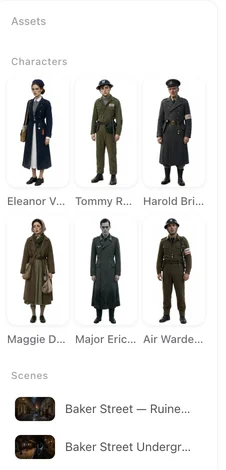
Every reference in a storyboard — a character tag in a shot, a location in the header, an item on the props line — is looked up by name to find the card whose sheet becomes a reference image for the clip. A name that matched two cards would attach two sheets, or the wrong one. Uniqueness is per project: two projects can each have a ‘Mei’. The @ Menu in the Storyboard.
Where the message appears
Adding a character, scene or prop in Step 2 with a name already on another card; renaming a card to a name in use; adding a state to a card that already has a state of that name. (Copying a picture from the asset library is different: it goes onto a card you choose and replaces its image, so there is no name to clash.) In each case nothing is created and nothing is charged; choose another name.
Duplicates in the script itself
Two characters called ‘Guard’, or a scene and a prop both called ‘The Letter’: the parse keeps both and gives the later one a suffix, so no card is lost. Rename them to what the story calls them (‘Guard at the gate’, ‘Guard on the wall’) before generating sheets; the sheets and the storyboards then read cleanly. Re-parsing matches cards by name, so keep the names you settle on.
What a rename changes
The card’s name and every reference to it in this project’s storyboards, including voice tags; done together so nothing is left pointing at the old name. Not changed: clips already generated (they are pictures), other projects, library copies. Projects created before names were made unique may contain old duplicates; renaming there changes only the card, and the storyboard should be checked by hand.
Choosing names that work
Short, distinct, as the story says them. Avoid names that are also common words (‘Door’, ‘Night’) for props and scenes; they read ambiguously in shot text. Nicknames can be added in the description; the name is the key.
| You do | Result |
|---|---|
| Add a card with a name in use | Refused; choose another name |
| Rename a card | Card and all references in this project updated |
| Script has two 'Guard' characters | Second becomes 'Guard (2)'; rename both |
| Add a state with a name in use on that card | Refused |
FAQ
Can two projects share a name?
Yes. Uniqueness is within one project.
Does renaming break my storyboards?
No. References are rewritten with the card.
Do clips change after a rename?
No. They are already generated; only text changes.
Why did the parse create 'Mei (2)'?
The script has two characters the parse read as 'Mei'; rename one.
Can a scene and a prop share a name?
No; names are unique across cast, scenes and props in a project.
Updated September 27, 2026
Pricing·Novel to Video·Guides·Samples·Support·Privacy·Terms·Legal·Contact·© 2026 SceneMixer