480P, 720P or 1080P: Which Tier to Pick

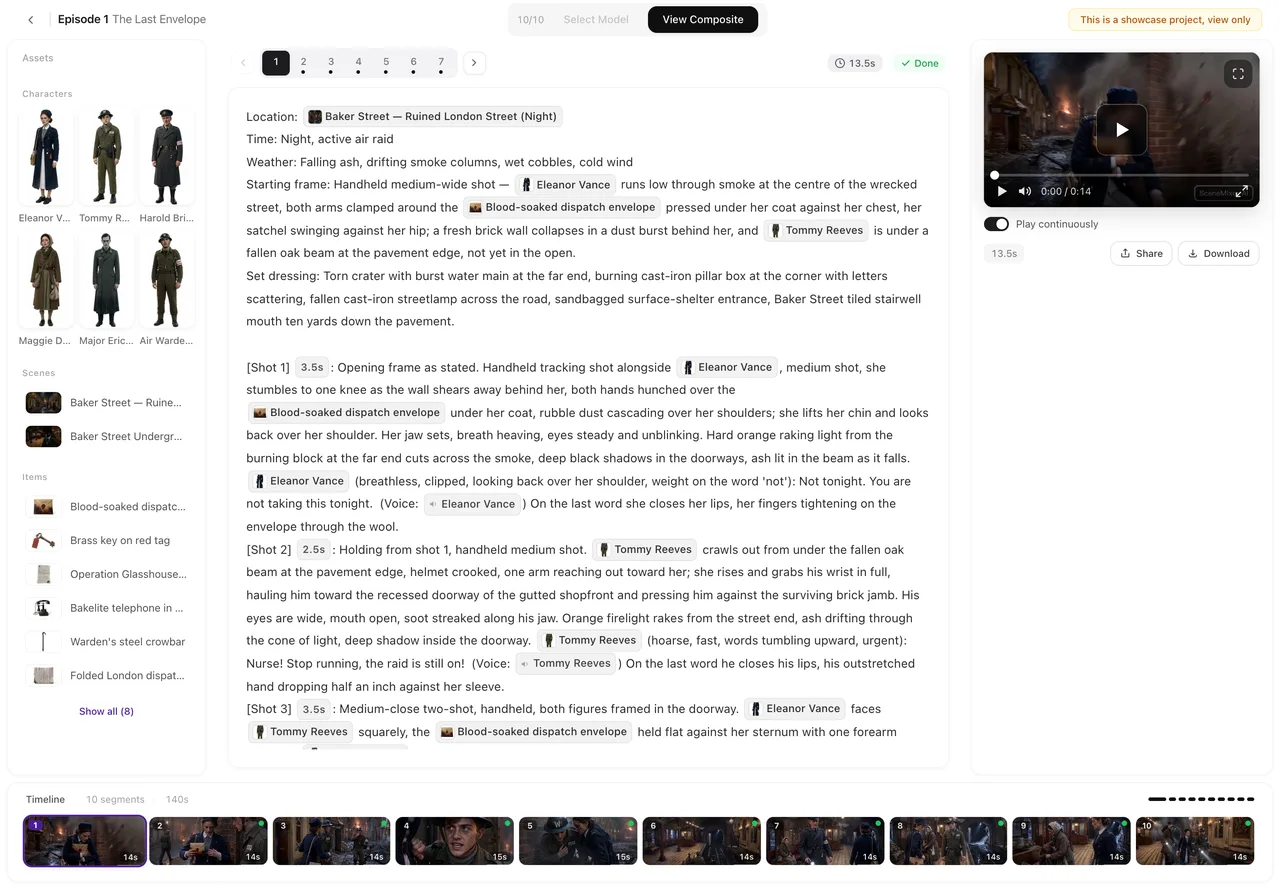
Open a finished episode. The picker is above the preview pane on the right; the price on the generate button changes as you switch tiers.
Where the picker is
In the episode editor, above the video preview on the right, next to the generate button. Click Select Model, pick a tier, and the price on the generate button updates. The choice applies to the segments you generate from then on; segments you already generated keep the tier they were made on, and you can regenerate any of them on a different tier later.
What a tier is
A tier is a video engine at a resolution. The picker groups them by family: Wan 3.0 at 480P, 720P and 1080P; Seedance 2.5 (Pro, Lite and 480P); Seedance 2.0 (standard, Fast and 480P); MiniMax H3 (standard and Fast). Each row shows its price per second. The one marked recommended is the tier we would deliver on; the default is the cheapest of the family.
Two things differ between tiers besides price. Resolution: 480P is fine on a phone and for drafts, 720P is what most people deliver, 1080P is for a big screen. And the maximum length of one segment: the Wan 3.0 and Seedance 2.5 tiers allow longer segments than the Seedance 2.0 and MiniMax tiers. If a segment’s shots add up past the cap of the tier you picked, the segment card says over cap and generation is refused until you shorten it or switch tier. Shot seconds.
What it costs
Video is priced per second of segment, and the per-second price is the tier’s. The default tier is 10 credits a second; the dearest tier works out to about $0.47 a second at the lowest credit price. The price is on the button before you press it, and it is charged only when the segment is delivered. Where credits go in one episode.
A way to work
Write and draft on the default tier: generate, look, fix the storyboard, regenerate. When a segment is right, regenerate it once more on the tier you will deliver on. Because every version is kept, the draft and the final sit side by side in the segment’s version history and you can put either in the episode. Versions.
Do not upgrade a segment whose storyboard is still wrong. Resolution does not fix a stranger’s face or a missing prop; the text does.
The badge and the tier
The tier does not change whether the finished video carries the AI badge; that is a separate switch next to the picker. The AI badge switch.
| Tier family | Resolutions in the picker | Good for |
|---|---|---|
| Wan 3.0 | 480P (default) · 720P (recommended) · 1080P | Drafts, delivery, big screens; longer segments |
| Seedance 2.5 | Pro · Lite · 480P | A different look; longer segments |
| Seedance 2.0 | Standard · Fast · 480P | Shorter segments |
| MiniMax H3 | Standard · Fast | Shorter segments |
FAQ
Which tier should I start with?
The default. Draft there, then regenerate the segments you will deliver on the recommended tier.
Does a higher tier fix a bad shot?
No. It changes resolution and look, not what the shot shows. Fix the storyboard, then choose the tier.
Can I mix tiers in one episode?
Yes. Each segment is generated on whatever tier was selected at the time, and the episode composites them together.
Why is generation refused with an 'over cap' message?
The segment is longer than the selected tier allows. Shorten it, split it, or pick a tier with a higher cap.
Does the free preview use a tier?
The free preview is a short opening shot generated at no cost; you do not pick a tier for it.
Draft cheap, deliver sharp
Generate a segment on the default tier, fix it, then regenerate it on the tier you want to ship.
Updated September 26, 2026
Pricing·Novel to Video·Guides·Samples·Support·Privacy·Terms·Legal·Contact·© 2026 SceneMixer