After the Read: Style, Region, and Why Dialogue Language Is Fixed

The remake overview for the whole path; this page is the step you land on.
Where you land
Step 1, Set Up Your Project, with the settings form on screen and the summary of what was read beneath it. There is no Parse here — the project was read from your video, so there is nothing to parse — but Next will not move on until the three style choices are made. That is deliberate: every image and every shot is drawn in the visual style, so it must be chosen before the first image exists.
The three styles
Visual Style: how everything is drawn — live action, anime, 3D. Scene Style and Costume Style: what the sets look like and what people wear. When some are unset, a dialog offers Let AI choose from the read; accept or pick yourself. Press Next and the page says Applying your style choices to the cast, sets and props: the descriptions read from your clip are restyled so that step 2 draws them the way you asked. The presets · How the styles work together.
Target Region
Optional. Pick a region and the cast’s ethnicity, the architecture and the props are moved to that market when the descriptions are restyled — names stay as read, because they are already written into the storyboard. Leave it on Follow script and the world stays as the clip showed it. Region.
Why dialogue language is not offered
In a drama, the dialogue language is applied when the script is read, and a script can be read again. A remake’s lines were heard and written down during the read, in the language of the interface you were using at the time — that is the moment the choice takes effect, and there is no second read. So the row is not shown: a picker that changed nothing would be worse than none. To remake a clip into another language, switch the interface language first, then upload the clip.
Aspect ratio
Choose it here like any project; it does not have to match the source. A landscape clip can be remade portrait. Aspect ratio.
Then step 2 and onwards
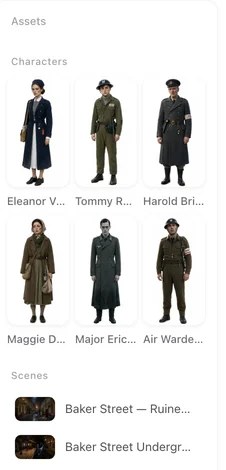
Step 2 shows the cast, sets and props read from the clip, without images; generate them as in any project, or upload your own. Step 3 already has the storyboard, so the episode is ready to edit and shoot. From here it is a drama. Changing the cast and places.
| Setting | In a remake | When it applies |
|---|---|---|
| Visual / scene / costume style | Required before Next | When the read descriptions are restyled, then in every image and shot |
| Target Region | Optional | Same moment; names are kept |
| Aspect ratio | Your choice | Every video shot |
| Type | Set for you | — |
| Dialogue language | Not offered | Decided by your interface language at read time |
FAQ
Why does Next refuse until I pick styles?
Every image and shot is drawn in the visual style. It must exist before the first image is made.
Can I change the language the remake speaks?
Not after the read. Set your interface language before uploading the clip; the lines are written in it during the read.
Will the region change the characters' names?
No. Names are already in the storyboard. Ethnicity, sets and props follow the region.
Do I have to parse anything?
No. The project was read from your video. Next saves your choices and restyles the descriptions.
Can I remake a landscape clip as portrait?
Yes. Pick the aspect ratio here; it need not match the source.
Pick the look, then shoot
Three styles, a region if you like, Next. The storyboard is already waiting in step 3.
Updated September 26, 2026
Pricing·Novel to Video·Guides·Samples·Support·Privacy·Terms·Legal·Contact·© 2026 SceneMixer