How to Make an AI Werewolf Romance Drama

Paste this into AI Create and press Start Writing: A werewolf romance: a waitress rejected by the alpha heir at the full-moon ceremony learns she is the last white wolf; the rival pack wants her; he has one moon to win her back; slow-burn and fierce.
What werewolf drama viewers come for
The genre is a romance first and a monster story second. Viewers stay for the bond, the hierarchy and the moment someone is put in their place; the wolves are what make the stakes physical. The beats that carry most series:
- The rejection. The heroine is refused in public by the person fate picked for her, usually in episode 1. It is the injury the rest of the series repays.
- The bond. Two characters recognise each other as mates: a scent, a pull, a look neither can break. The audience knows before the characters admit it.
- The hierarchy. Alpha, beta, the luna at the alpha’s side, the omega at the bottom. Every scene is about who outranks whom, and who is about to stop obeying.
- The hidden heritage. The underestimated heroine is more than she seemed: a rare wolf, a lost bloodline, the true heir. The reveal is the first big payoff.
- The rival. A second alpha, a jealous she-wolf or a hunter. Someone has to want her, or want her gone.
- The moon as a clock. A ceremony, a challenge or a curse that lands on the next full moon gives the whole series a deadline.
Rotate the episode endings between those beats — a reveal, a confession left hanging, a betrayal, an arrival — so the hooks never feel mechanical. Hooks and cliffhangers.
Settings to pick in step 1
Everything in step 1 is read with the script, so decide these before you continue; the type and the visual style cannot be changed later in the same project.
- Type: Short Drama for a feed series — fast, dense dialogue, a hook every episode. TV Series if you want longer episodes with room for pack politics. Short Drama, TV Series or Film.
- Aspect Ratio: 9:16 Portrait for TikTok, Reels and short-drama apps; the default is 16:9 Landscape. Vertical or landscape.
- Visual Style: Realistic HD or Filmic Live-Action for the look of the big romance apps; Soft-Mist Live Action if the story leans on moonlit longing; Painterly Anime or Korean Webcomic for an anime audience.
- Scene Style: American Small Town for a pack hidden in an ordinary town, Suburban Mansion for the alpha family’s estate, Gothic Dark if the story drifts into curses and old blood, Frozen Wilderness for a northern pack.
- Costume Style: Streetwear or Smart Casual for a modern pack, Power Tailoring if the alpha is also a billionaire, Outdoor Gear for a pack that lives in the woods.
- Target Region: Western gives you English names, American or European towns and faces; Follow script keeps whatever your text says.
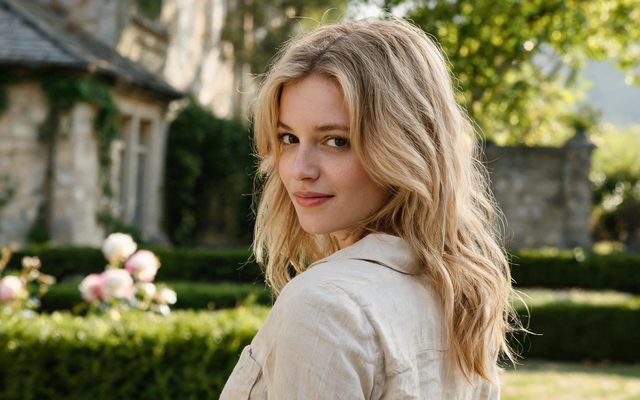
Visual Style: Realistic HD
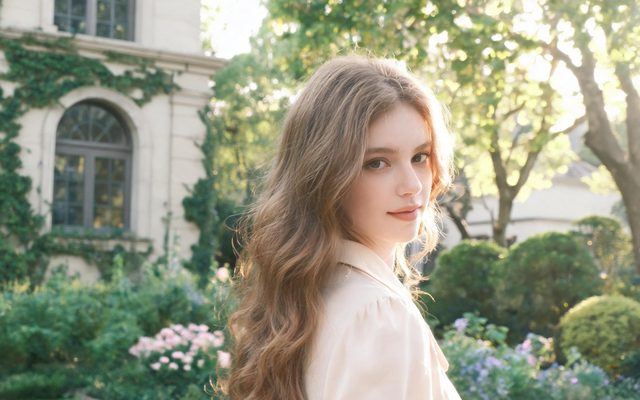
Visual Style: Soft-Mist Live Action
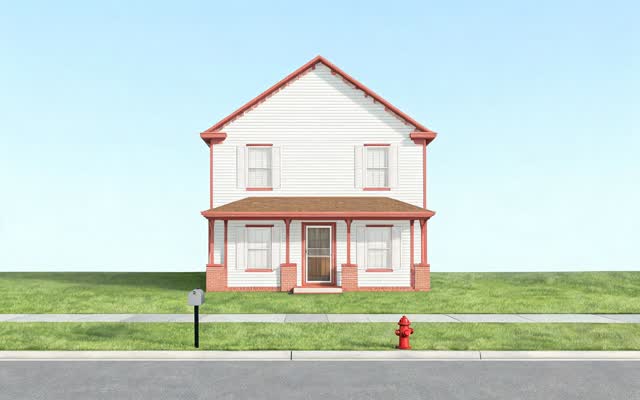
Scene Style: American Small Town
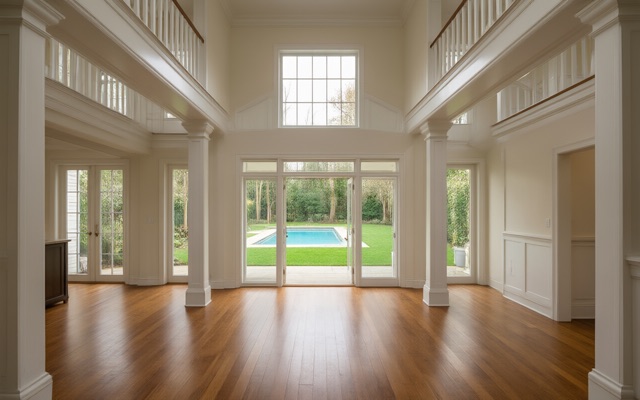
Scene Style: Suburban Mansion
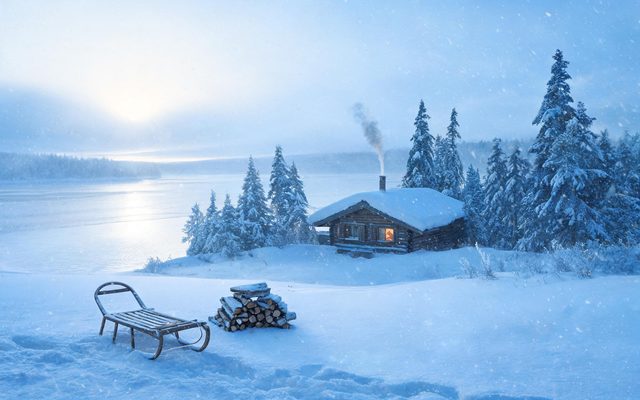
Scene Style: Frozen Wilderness
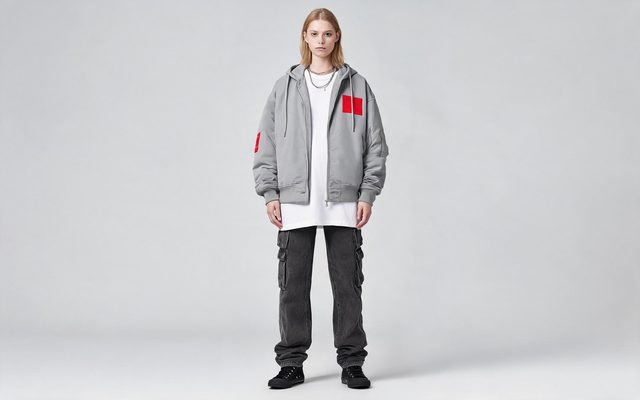
Costume Style: Streetwear
Cast the wolf as a state of the character
A reference image locks what a character looks like. A man and a wolf are two different shapes, so the wolf cannot be talked into a shot with words alone — it needs its own image. In SceneMixer that image is a state: a second look that belongs to the same character, keeps the same card, the same voice and the same name in the storyboard.
- Generate the human main image first. A state is made from the main image, and the button waits for it: Generate the main image first — the state image is built from it.
- Open the character in step 2 and choose Add a state. Name it plainly — Wolf form.
- Write only the difference. The field asks How does it differ from the main image? Answer that and nothing else: A huge grey wolf with the same amber eyes, a white scar through the fur over the left brow, thick winter coat. The carried-over detail — the eye colour, the scar — is what makes the audience read the wolf as him.
- Press Generate this state. It is priced like any other setup image.
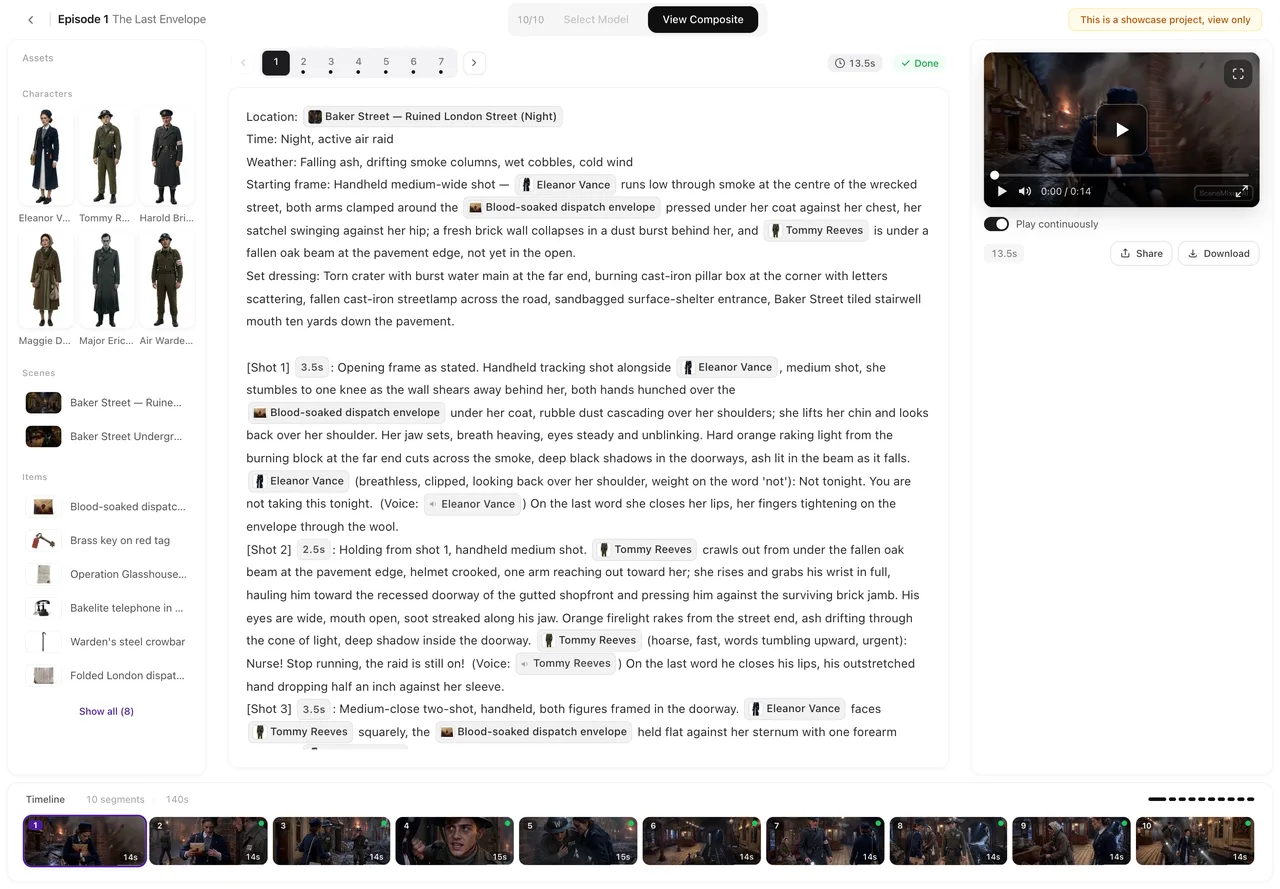
- Point the right shots at it. The storyboard picks a state per segment when it can tell; check the dashed AI pick and override with Use this state in this shot or Use main image where it guessed wrong — in the episode editor, select the segment and open the character from the episode’s assets.
A full wolf is an animal, so describe it as one: four legs, no clothes, its size against a person (shoulder as high as a man’s chest). If your story has an in-between form — claws out, eyes gone gold, fangs — make that a second state rather than asking one image to be both. Costume changes and states · Non-human characters.


Write the transformation in two shots
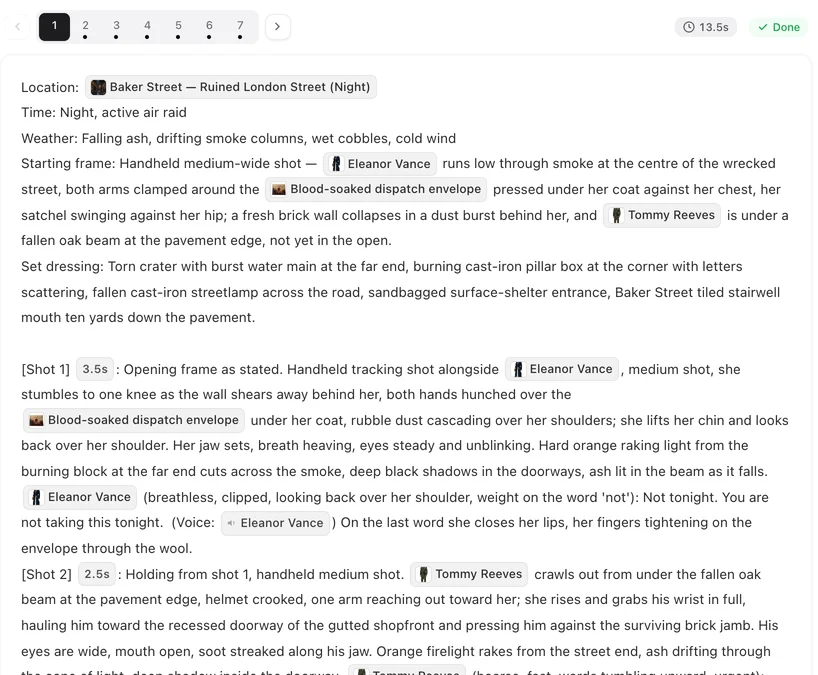
A body changing shape inside one continuous shot is the hardest thing you can ask a video model for, and the most likely to come out as a melt. The genre’s own grammar has the answer: show the trigger, cut, show the result. Two shots, each with one thing happening.
| Shot | What to write |
|---|---|
| The trigger | [Shot 4] 3s: Cut to close-up. In frame only: @Kael. His jaw locks; his eyes catch the moonlight and turn amber. He drops to one knee. No dialogue. Ambient: wind in the pines. |
| The result | [Shot 5] 4s: Wide shot, low angle. The wolf lands on the forest path between @Elena and the hunters, head lowered, lips drawn back from its teeth. No dialogue. Ambient: a low growl, branches cracking. |
| The reaction | [Shot 6] 3s: Close-up. In frame only: @Elena. She stares, then steps forward instead of back. @Elena (barely a whisper): It’s you. |
Shot 5 is where the Wolf form state belongs; shots 4 and 6 use the main images. Writing the cause (moonlight, a drop to one knee) instead of the effect is what makes the trigger shot readable. Describe the cause, not the result · How to write one shot.
Pack fights without getting blocked
Every generation passes the provider’s content check, and extreme violence and gore do not pass. A werewolf series does not need them. What reads as danger on a phone screen is the threat and the motion, not the injury:
- Show the lunge, the snarl, the circling, the moment before contact — then cut to the reaction.
- Let the aftermath carry the damage: a torn jacket, a limp, someone pulling another to their feet. No open wounds, no blood on teeth.
- Keep a fight to two or three figures in frame; a whole pack charging is a crowd shot and loses its faces. Put the rest of the pack in the background line of the segment instead.
- Keep romance to what a broadcast drama would show. Explicit content is not generated, and a mark or a claim scene works better as a look and a held breath than as anything physical.
If a segment is blocked, change the storyboard text before you retry: resubmitting the same text only gets blocked again, and repeated blocks pause video generation for 1 hour. Blocked by moderation: what to change · Fights, crowds and group scenes.
Moonlight, forest and the pack house
Night, a full moon, rain and firelight are written into the shot, not made into images: they ride on top of whatever the location image shows. What deserves its own location is the place the story keeps returning to — the clearing where the ceremony happens, the alpha’s house, the diner where she works — so it is the same room in every episode. Write the moon as a cause of light (a full moon low over the treeline throws cold light across the clearing), and put the watching pack in the segment’s background line rather than naming each wolf. Same room in every episode · Background people in a scene.
Voices for an alpha and a luna
Each character’s Voice description travels with every line they speak. Werewolf leads are usually written against each other: low and unhurried, a rasp at the ends of lines, never raises his voice for the alpha; soft but steady, gets quieter when she is angry for the heroine; bright, quick, mocking for the rival. A pack elder or a narrator who is heard and never seen can be set to Voice only (off-screen) so no image is made for them. Growls and howls belong in the shot’s Ambient line, not in dialogue. How character voices work · Give a character an accent.
Make it in SceneMixer, start to finish
- Get a script. Paste your own on Upload Script, or use AI Create: one or two sentences with the genre, the lead and what she wants, the opponent, the ending and the tone, then pick a length and Start Writing. Writing the one-line brief.
- Set up step 1 with the choices above and let the script be read. Check the episode list in the summary: every episode should end on a turn.
- Build the cast in step 2. Generate the main images (the first 15 setup images on an account are free), then add the wolf states. Give the alpha one mark the wolf shares.
- Generate the storyboard for episode 1 (on your first project, the first episode’s storyboard is free) and read it like a script. Rewrite any transformation that happens inside a single shot into the two-shot pattern.
- Generate the segments. The default tier costs 10 credits a second; draft cheaply, finish higher if the episode works. Draft at 480P, finish at 1080P.
- Fix what came out wrong one shot at a time, then composite the episode and post it. Fix one shot · Post to TikTok, Shorts and Reels.
For a feel of how a supernatural story looks when it is built this way, watch Crimson Vow, a rain-soaked city thriller that turns into a gothic bloodline mystery.
| Episode | What happens | How it ends |
|---|---|---|
| 1 | The full-moon ceremony. The alpha heir recognises her as his mate and rejects her in front of the pack. | She walks out into the forest and something in her answers the moon. |
| 2 | She is cast down to the lowest rank; the heir cannot stop thinking about her. | A stranger from the rival pack watches her from the treeline. |
| 3 | The rival alpha offers her a place at his side. | Her eyes turn white-gold for the first time, in front of the heir. |
| 4 | The elders recognise the sign of the lost white wolf. | The heir’s father orders her taken before the next moon. |
| 5 | She escapes with help from the one person she did not expect. | The heir finds her and says the word he refused to say in episode 1. She says no. |
FAQ
Can SceneMixer show a werewolf transformation?
Yes, the reliable way: a trigger shot on the human (eyes, breath, a drop to one knee), then a cut to the wolf. The wolf is a state of the same character with its own image, so it looks the same every time it appears.
Will the wolf look the same in every episode?
If the wolf form is a generated state, yes: every shot that uses the state uses the same reference image. Without an image the state is only described in words, which is weaker; generate it before you shoot the wolf scenes.
Can I make a werewolf drama in anime style?
Yes. Pick an anime preset such as Painterly Anime or Korean Webcomic in step 1. The style applies to every character, state and video in the project and cannot be changed after you continue.
What gets blocked in a werewolf story?
Gore, open wounds, extreme violence and anything sexual. Threat, chases, snarls and the moment before a fight are fine to write. If a segment is blocked, change its storyboard text before retrying.
How long should each episode be?
For a feed series, one to two minutes with a hook at the end. Pick Short Drama in step 1 and the script is split to that rhythm.
Can the dialogue be in Spanish, Portuguese or another language?
Yes. Choose the dialogue language in step 1; the cast speaks it natively, with mouths moving to the words, rather than being dubbed afterwards.
Can I adapt a werewolf novel I am reading?
Only with the rights to it. A published book or a well-known franchise needs the author's or publisher's permission; an original story, or your own novel, is yours to adapt.
How much does a werewolf episode cost?
The same as any episode of that length and tier: the script read, the setup images, the storyboard and then video by the second. The worked budget guide adds it up for a whole episode.
Write the rejection. We will film the moon.
Start with one sentence in AI Create, or paste the first episode you already have.
Updated October 13, 2026
Pricing·Novel to Video·Guides·Samples·Support·Privacy·Terms·Legal·Contact·Affiliate program·© 2026 SceneMixer