Using a Standard Screenplay as Input: Scene Headings, Character Cues and Parentheticals

Paste one scene of your screenplay into a new project and compare the step 1 outline with the page.
Getting the file in
The script box takes pasted text and .txt, .docx and .md files. PDFs are refused when you pick them, so export from your screenwriting app as plain text or as a Word document instead. A Fountain file is already plain text; rename it from .fountain to .txt. Which script files work.
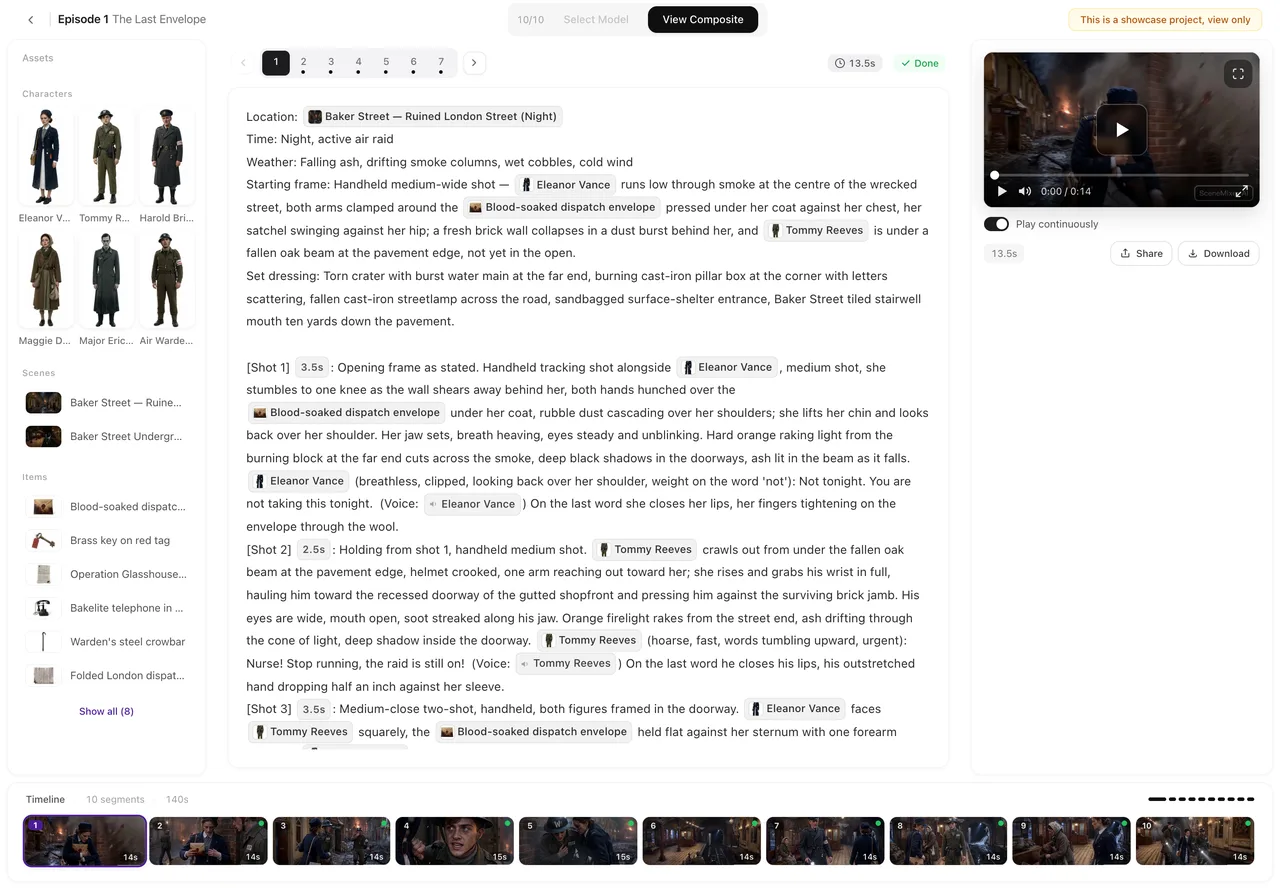
Scene headings
Keep them. INT. or EXT., the place, and the time of day tell the reading where each scene happens and whether it is day or night, and they help it tell two rooms apart. Use the same name for the same place every time: MARA’S KITCHEN in one scene and KITCHEN in the next can become two locations.
Character cues and dialogue
Screenplay layout puts the name above the line. That is often understood, but for lines that must be spoken exactly as written, put the name and the line on one line: MARA (quietly): Read it before you say no. Use one spelling of each name throughout; a character called MARA in one scene and MRS. CHEN in another becomes two characters. Write dialogue so it is picked up.
Parentheticals, V.O. and O.S.
A parenthetical becomes the delivery note: (quietly), (furious, under her breath). Voices heard but not seen are written as a note before the line: (voice-over), (on the phone), (over the radio). Dialogue lines, voice-over and captions.
Action lines
Write what can be seen and heard, as you would in a screenplay anyway. Camera directions in the action are fine but not needed: the storyboard plans its own shots, and you can edit them after the reading. Long stretches of description are condensed.
Length
A feature screenplay is longer than one project reads at once; adapt it in parts. The script box says when a paste is over the limit. Length caps.
| Screenplay element | Keep it? | Tip |
|---|---|---|
| Scene heading (INT./EXT., place, time) | Yes | One name per place throughout |
| Character cue | Yes | Safest as NAME: line on one line |
| Parenthetical | Yes | Becomes the delivery note |
| V.O. / O.S. | Yes | Write as (voice-over) or (on the phone) |
| CUT TO:, FADE IN: | Optional | The storyboard decides cuts |
FAQ
Can I upload a Final Draft file directly?
No. Export it as plain text or a Word document first.
Can I upload a PDF of my screenplay?
No. Copy the text out of it, or export from your screenwriting app as text or Word.
Will my scene numbers be kept?
They come through as text; the reading builds episodes from the story.
Do I need to rewrite the whole screenplay?
No. Keep it as it is; change only dialogue you need word for word to NAME: line form.
Bring your screenplay in
Export as text or Word, keep the scene headings, put key lines as NAME: line.
Updated October 2, 2026
Pricing·Novel to Video·Guides·Samples·Support·Privacy·Terms·Legal·Contact·© 2026 SceneMixer