Seedance 2.0: the family for tight cuts, priced per second
When a short segment is the right cut
A 15-second generation is one breath: an exchange, a reveal, a turn. For a lot of short-drama beats that is exactly the cut, and it keeps every render moving quickly. When a scene needs to stay in one shot longer — a slow walk, a long speech, a chase held in a single frame — the site has families with a higher ceiling; the trade-offs are laid out in segments, seconds and how they cut.
Length is per generation, not per scene: a scene that needs more screen time is simply more than one segment, and the storyboard can be split that way from the start.
The three tiers and what they cost
One ceiling, three resolutions, prices per second of rendered picture:
| Tier | Credits per second | About, at the lowest credit price | One generation, up to | Resolution |
|---|---|---|---|---|
| Seedance 2.0 | 63 | $0.39 | 15 seconds | 1080P |
| Seedance 2.0 Fast | 25 | $0.16 | 15 seconds | 720P |
| Seedance 2.0 · 480P | 13 | $0.08 | 15 seconds | 480P |
Line the two families up at the same resolution and the numbers sit side by side: 63 credits per second on Seedance 2.0 against 75 on Seedance 2.5 Pro, 25 on Seedance 2.0 Fast against 38 on Seedance 2.5 Lite, and 13 on Seedance 2.0 · 480P against 19 on Seedance 2.5 · 480P — and any segment can move up later without redoing the storyboard.
What you can make with it

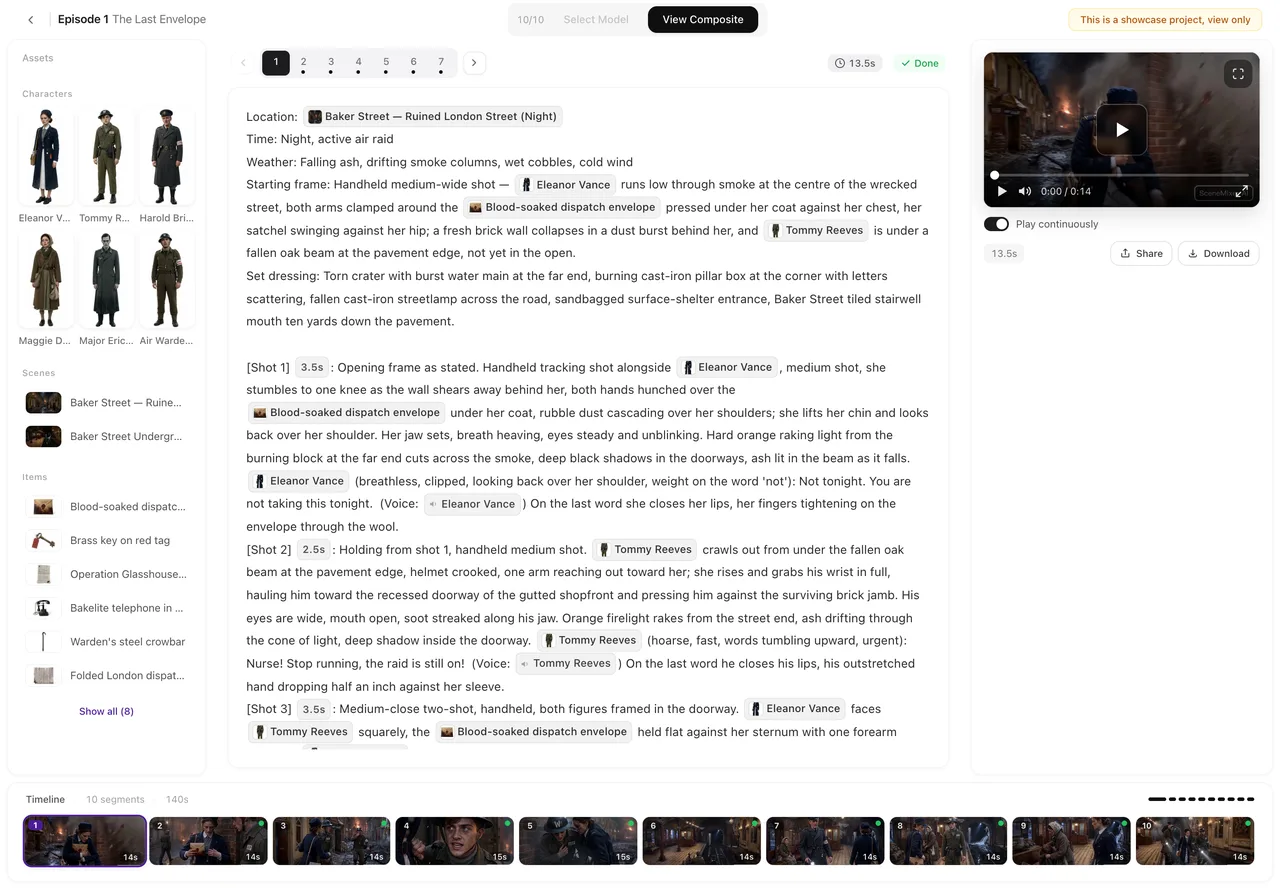
The still above is The Last Envelope, an episode made end-to-end on this site with Wan 3.0 · 720P — storyboard, renders, voices, composite; the tier is one setting, so the same project flow runs on any Seedance 2.0 tier instead.
So the natural fit is anything cut short and often: a first pass over a whole episode, a quick look at a beat before committing to it, alternate readings of the same line, vertical versions of a finished scene. A finished episode composites from the active version of every segment and can be shared straight from the editor.
Drafts, keepers and versions
Nothing here forces a decision up front. Render a segment at the entry tier, watch it, then re-render it on the tier the final cut deserves; both versions stay listed on the segment, and the composite uses whichever one is active. Put the whole episode through the editor before you finish anything: the storyboard, the voices and the timing are all cheaper to change than pixels.
And when a take only needs a tweak — a trimmed opening, a swapped line — the editor’s segment tools handle that without a full re-render. The mechanics are in editing a shot and regenerating. The path from a pasted script to a rendered segment, sketched:
How to start
Before drafting, set the step in Select Model, the button in the editor’s top bar: Seedance 2.0 · 480P is where a first pass belongs — 13 credits a second — and a short beat is what this family drafts best. The rest of the flow is unchanged: a project holds the whole run, its episodes each a run of short segments. The account opens with 50 welcome credits to cover the starting fees; the script analysis is billed by length, sheets beyond the 15 free ones per account are billed each, and every delivered second of video is billed.
Then let the episode decide its own rate — draft cheap, finish where it counts is the route the site’s guides describe, and editing a shot without a full re-render keeps a near-miss cheap to fix.
FAQ
What does Seedance 2.0 cost per second?
On this site: 63 credits per second on Seedance 2.0, 25 on Seedance 2.0 Fast, and 13 on Seedance 2.0 · 480P — about $0.39, $0.16 and $0.08 at the lowest credit price. Charged when a segment delivers; a failed render is refunded or held for a check, not charged.
What fits in one generation on these tiers?
One scene beat: an exchange, a reveal, a move — a single generation tops out at 15 seconds. A scene with more beats is several segments, and the storyboard can plan it that way — the segment-length guide walks through the cutting rhythm.
Can I mix Seedance 2.0 segments with other tiers in one episode?
Yes. The tier is one setting — the editor’s tier button, or Settings → Model Preferences → Video Model — that applies to the segments you render next, and every segment records the tier it was made with, so an episode can blend drafts and finals. The composite stitches whatever the active versions are. Only the ceiling is fixed: on the 2.0 tiers a single generation never runs past 15 seconds.
Which of the three 2.0 tiers should I use?
The same pattern as everywhere on the site: draft on the entry tier, finish on the one you will publish. The three map to larger screens, phone screens and first passes — each has its own page: the standard tier, Fast, and the entry tier.
Is Seedance 2.0 still worth it next to 2.5?
If your cuts are short, yes: 63 credits per second against 75 on the two top tiers, 25 against 38 on the middle ones, and 13 against 19 on the entry ones — and the lower ceiling only rules out scenes that want to run long. The 2.5 page prices its own table if you want to line the two up side by side.
Try it on a short beat
Paste a scene, render a take at the entry price, and see whether the cut you had in mind fits.
Updated October 14, 2026
Pricing·Novel to Video·Guides·Samples·Alternatives·Answers·Support·Privacy·Terms·Legal·Contact·Affiliate program·© 2026 SceneMixer