How to Make an AI Short Film

Brief for AI Create: A short film: a lighthouse keeper on his last night before the light is automated finds a letter from the keeper before him, addressed to whoever comes last; quiet, wintry, ends on the light going out by itself.
Film or Short Drama: the one setting that changes everything
The Type row in step 1 decides how the script is cut and how each scene is written for the camera. For a short film, pick Film:
| Film | Short Drama | |
|---|---|---|
| Pace | Slow, atmospheric, room for silence | Fast, dense dialogue, hook-driven |
| Episode length | No cap | Capped, built for feeds |
| Structure | One piece divided into acts | Episodes that each end on a hook |
| Best for | Festival shorts, portfolio pieces, YouTube | TikTok, Reels, short-drama apps |
The type is read with the script and cannot be changed in that project afterwards. Short Drama, TV Series or Film.
Write the script for a camera that is generated
A short film script for SceneMixer is an ordinary screenplay with a few habits that make generation reliable.
- Scene headings, character cues, dialogue. Standard screenplay layout is read as it is: INT./EXT., the place, the time, then action and lines. Use a screenplay as input.
- Few locations. Every location gets its own reference image and is kept the same each time you return to it. Two to four places is the right scale for a short.
- Action you can see. “He hesitates before opening the letter” gives the camera something; “he remembers his father” does not.
- Lines you can say in the time. About three words a second in English. A long speech becomes several shots.
- Silence on purpose. Film is allowed to be quiet. Shots with no speech are marked No dialogue in the storyboard so nobody is made to talk.
Write the dialogue exactly as it should be spoken; lines written as dialogue in your script are carried into the storyboard word for word. Write dialogue so it is picked up.
Settings to pick in step 1
- Type: Film.
- Aspect Ratio: 16:9 Landscape, marked Recommended and described as Film / Large screen. Choose 9:16 Portrait only if the film is made for phones.
- Visual Style: Filmic Live-Action for a cinema grade, Realistic HD for a clean, filmed look, Black & White Film for monochrome, or any of the animation groups — Hand-painted Anime Film, Feature 3D Animation, Claymation — for an animated short.
- Scene Style and Costume Style: pick the world the film lives in; both are read with the script and fixed afterwards. Visual style presets, one by one.
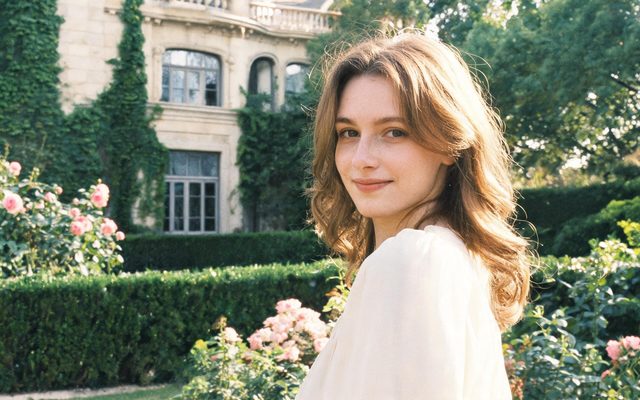
Visual Style: Filmic Live-Action
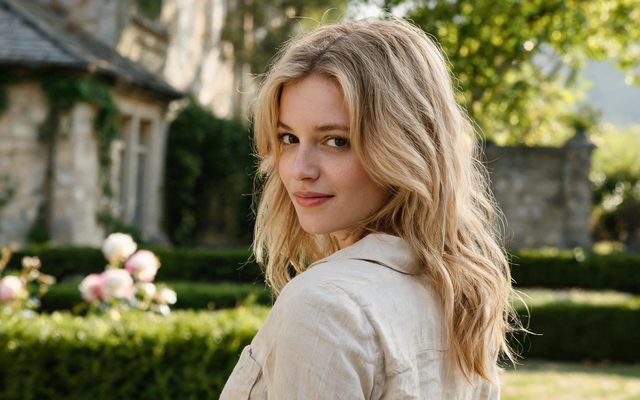
Visual Style: Realistic HD
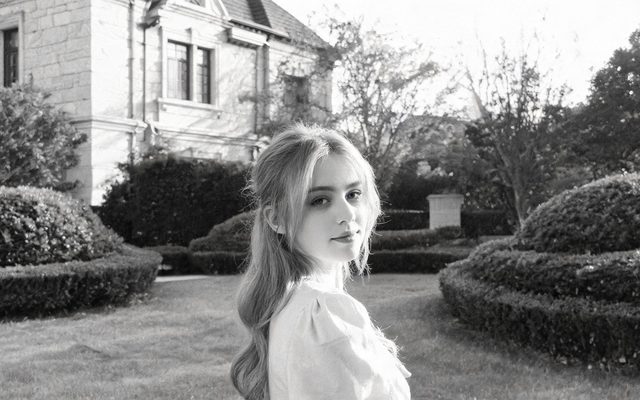
Visual Style: Black & White Film
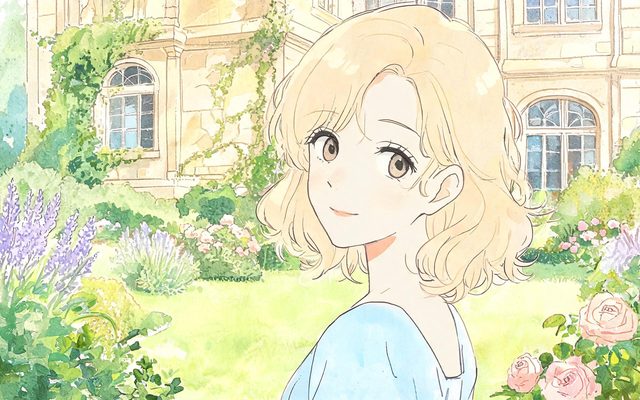
Visual Style: Hand-painted Anime Film
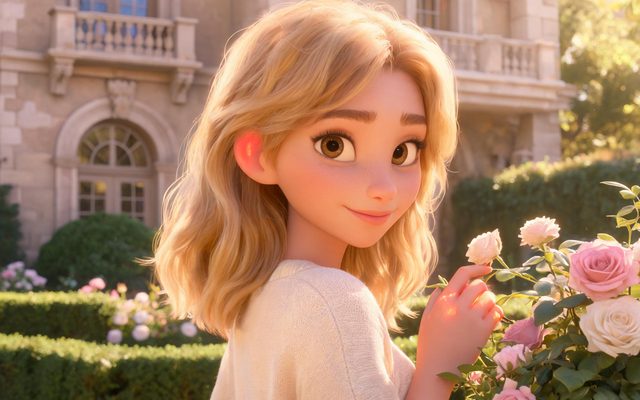
Visual Style: Feature 3D Animation
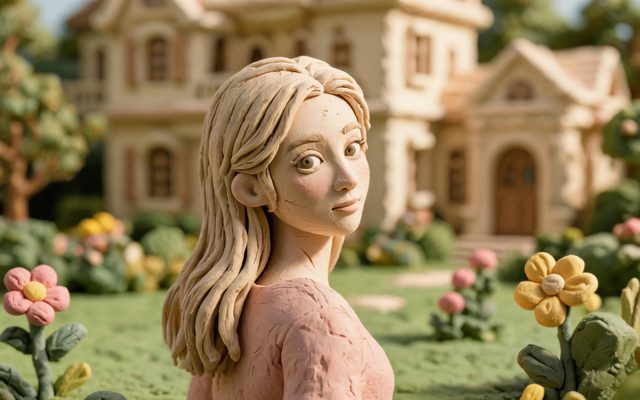
Visual Style: Claymation
How the film is made, scene by scene
- The read. The script becomes a summary, a cast list, the locations and the props. Read the summary before you continue; it is the cheapest place to catch a misunderstanding.
- The setup images. Each character, location and prop gets a reference image. Faces are decided here: describe them precisely and regenerate the ones that are generic. Describe a face so it is not a generic face.
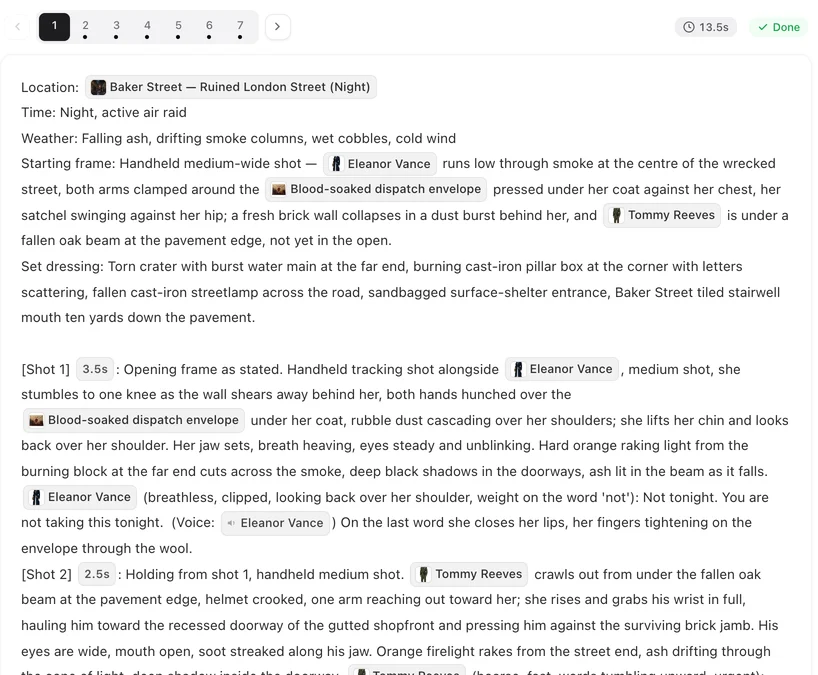
- The storyboard. Each part of the film is written out shot by shot: framing, who is in frame, the action, the line, the sound. Editing the text is free. How to write one shot.
- The segments. Video is generated a segment at a time, each segment up to 30 seconds on the default tier, with dialogue and sound produced in the same pass as the picture. 15 or 30-second segments.
- The fixes. Regenerate one shot without redoing the rest, trim a clip, or redo a line. Edit this clip.
- The composite. When every segment is finished, compositing joins them into one file, using whichever version of each segment is active. Composite and share.
If the read splits a longer script into several parts, composite each one and join the files in any video editor.


Writing for longer takes
Film pacing lets a shot hold. Three habits make a held shot work:
- One movement per shot. A slow push in, a pan across the room, a figure crossing frame. Two movements become a new shot.
- Let the light do something. A lamp switched on, a cloud moving off the sun, headlights crossing a ceiling. Change inside a held frame is what keeps it alive.
- Sound carries time. The Ambient line at the end of a shot — wind, a kettle starting to whistle, a radio in another room — makes a quiet shot feel inhabited.
| Shot | Example |
|---|---|
| An opening that holds | [Shot 1] 6s: Opening: wide shot, fixed camera. The lighthouse at dusk, the lamp room dark. Snow crossing the frame. No dialogue. Ambient: wind, the sea against rock. |
| A slow reveal | [Shot 2] 5s: Slow push in. In frame only: @Arthur, seated at the keeper’s desk, turning the @Envelope over in his hands. No dialogue. Ambient: the clock in the stairwell. |
| A line with silence around it | [Shot 3] 6s: Medium close-up. In frame only: @Arthur. He reads, stops, reads the line again. @Arthur (quietly, to himself): Whoever comes last. Ambient: wind. |
Music, the AI label and submitting your film
- Music. An episode that has its own score gets a version of the composite with the music carried across the whole timeline; each composite has a Music switch, on by default. Switch it off for a version without music if you want to score the film yourself. Background music.
- Full quality. Download gives you the original, full-quality file, not the lighter copy the player streams. Download: original vs play version.
- The AI label. Free accounts carry a small AI label in the corner; on a paid plan it is off by default. Festivals and platforms may have their own rules about disclosing AI-made work; turning the label off does not remove that obligation. The AI badge switch · What you get to keep.

What a short film costs
Four kinds of charge, each shown before you confirm: the script read by length, the setup images (the first 15 on an account are free), the storyboard text, and the video by the second — 10 credits a second on the default tier, more on higher resolutions. A three-minute film is 180 seconds of video; compositing adds 1 credit a second. Drafting at 480P and regenerating the best takes at a higher tier is usually cheaper than shooting everything high. A worked budget · Draft at 480P, finish at 1080P.
For a film built this way, watch The Last Envelope, a wartime espionage piece in a bombed, mirror-hall London, or The Violin on Mercer St, a quiet noir mystery.
| Length | Scenes | Locations | Roughly how much video |
|---|---|---|---|
| 1 minute | 2–3 | 1–2 | 60 seconds |
| 3 minutes | 4–6 | 2–3 | 180 seconds |
| 5 minutes | 6–10 | 3–4 | 300 seconds |
| 10 minutes | 10–20 | 4–6 | 600 seconds, usually split into parts |
FAQ
Can AI make a whole short film, not just clips?
Yes. The script is read into a cast, locations and a storyboard, the film is generated segment by segment with the same faces and rooms throughout, and compositing joins the segments into one file.
Which type should I pick for a short film?
Film. It gives a slower pace, room for silence and no cap on episode length. Short Drama is for feed series that end every episode on a hook.
Is 16:9 or 9:16 better for a short film?
16:9 Landscape, which the site recommends for film and large screens. Use 9:16 only if the film is meant for phones. The choice is fixed once you continue past step 1.
Can I use my own screenplay?
Yes. Paste it or upload a TXT, DOCX or Markdown file. Scene headings and character cues are read as they are, and dialogue lines are kept word for word.
Does the film have sound?
Yes. Dialogue, ambient sound and the picture are generated together, and an episode can carry its own score, which you can switch off on the composite if you want to add your own.
Can I submit an AI short film to a festival?
That depends on the festival's rules; many now have categories or disclosure rules for AI-made work. Read them before you submit, and disclose where they ask.
How long does it take to make a three-minute film?
The read takes minutes; each segment usually takes ten to twenty minutes to generate, depending on the tier and the queue, and several can run at once. Most of the time goes into reading the storyboard and fixing the shots you are not happy with.
What resolution can a short film be?
It depends on the video tier you generate with, from 480P on the default tier to 1080P and above on higher tiers. Each tier's price per second is shown before you generate.
Your short film starts as a script.
Paste it, or write one sentence and let AI Create draft it.
Updated October 13, 2026
Pricing·Novel to Video·Guides·Samples·Support·Privacy·Terms·Legal·Contact·Affiliate program·© 2026 SceneMixer